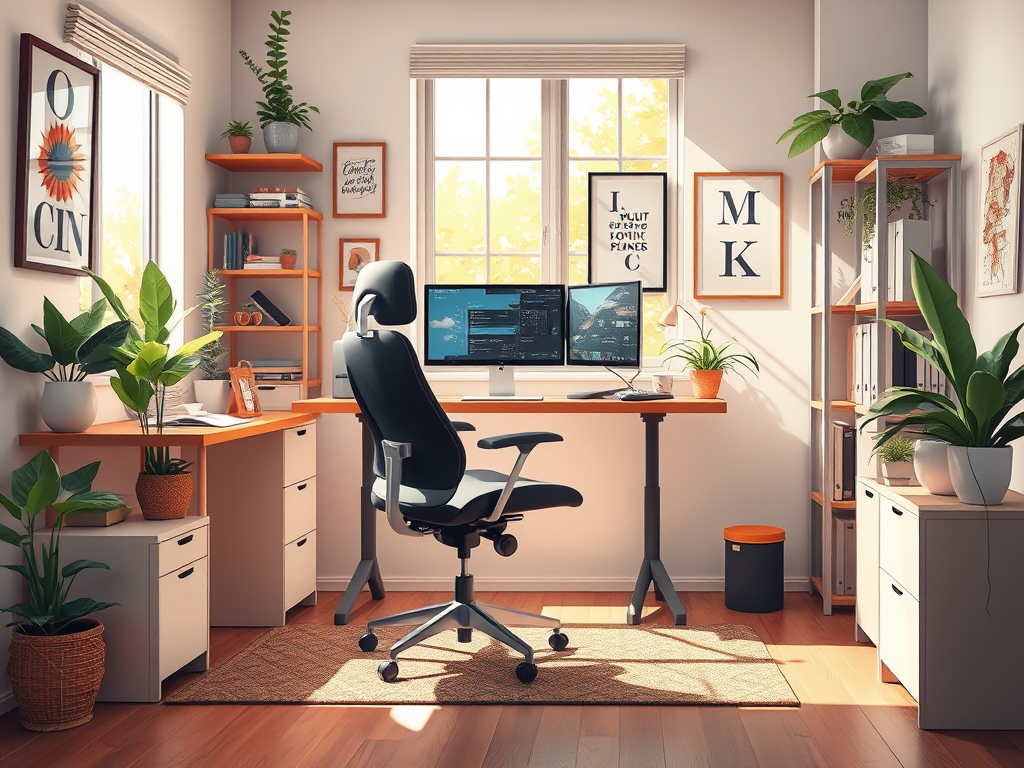
Working from home can be a game-changer—if your space is set up right. A well-designed home office boosts focus, motivation, and overall productivity. But without thoughtful planning, it can quickly become a source of distraction and discomfort. You might be new to remote work. Or you might want to refresh your space. Here’s how to create a home office that works for you.
Recommended Reading:
Mastering Remote Work
Daily Mindfulness Practice
1. Choose the Right Location
Start by selecting a dedicated workspace. Ideally, this should be a quiet room with a door you can close to minimize distractions. If that’s not possible, carve out a corner in a low-traffic area. Avoid working from your bed or couch; these spaces are linked to relaxation, not productivity.
Tip: If space is limited, consider using a room divider or bookshelf to create a distinct work zone.
2. Invest in Ergonomic Furniture
Comfort is crucial. Sitting in an uncomfortable chair for hours can lead to back pain and fatigue, reducing productivity.
- Desk: Choose a desk that offers enough space for your essentials. Adjustable desks that allow for standing and sitting are a great option.
- Chair: An ergonomic chair with lumbar support, adjustable height, and armrests is worth the investment.
- Monitor Height: Your screen should be at eye level to prevent neck strain. Use a monitor stand or stack books to achieve the right height.
Create a Mindful Workspace for Better Focus(Opens in a new browser tab)
3. Optimize Lighting
Good lighting can make or break your productivity. Poor lighting strains your eyes and drains energy.
- Natural Light: Position your desk near a window to take advantage of natural light.
- Task Lighting: Use a desk lamp with adjustable brightness for focused tasks.
- Avoid Glare: Angle your screen to reduce glare from windows or overhead lights.
4. Declutter and Organize
A cluttered desk can lead to a cluttered mind. Keep only what you need within arm’s reach.
- Storage Solutions: Use shelves, cabinets, or drawers to store supplies.
- Cable Management: Tidy up cords with clips or cable organizers.
- Daily Reset: Take five minutes at the end of each day to clear your desk.
5. Create a Distraction-Free Zone
Identify and eliminate distractions in your workspace.
- Noise Control: Use noise-canceling headphones or play background music if it helps you concentrate.
- Phone-Free Zone: Keep your phone out of reach or on silent during deep work periods.
- Boundaries: Set clear work hours and communicate them to family or roommates.
6. Incorporate Personal Touches
Your office should inspire you, not bore you. Add personal elements to make the space inviting but not distracting.
- Plants: A few houseplants can improve air quality and boost mood.
- Artwork: Hang motivational quotes or calming artwork on the walls.
- Colors: Choose paint colors that promote focus, like soft blues, greens, or neutral tones.
7. Keep Essential Tools Handy
Having the right tools at your fingertips keeps you efficient.
- Tech Essentials: High-speed internet, a reliable computer, and necessary software are non-negotiable.
- Office Supplies: Keep pens, notepads, and sticky notes within easy reach.
- Backup Systems: Use cloud storage or external drives to protect important files.
8. Prioritize Comfort and Movement
Your physical well-being affects your mental performance.
- Temperature Control: Keep the room at a comfortable temperature. Too hot or too cold can be distracting.
- Movement Breaks: Incorporate standing, stretching, or short walks to stay energized.
- Hydration Station: Keep water nearby to stay hydrated throughout the day.
9. Use Technology Wisely
Leverage productivity tools but avoid digital overwhelm.
- Task Management Apps: Tools like Trello, Asana, or Todoist help organize your workflow.
- Focus Tools: Apps like Focus Booster or Pomodoro timers can improve time management.
- Automation: Automate repetitive tasks where possible to save time.
10. Set Boundaries Between Work and Home Life
One of the biggest challenges of working from home is separating work from personal life.
- Start/End Rituals: Create routines to signal the start and end of your workday. These can be simple activities like a morning coffee or an evening walk.
- Separate Devices: If possible, use separate devices for work and personal use.
- Unplug After Hours: Resist the urge to check emails or work late into the night.
Final Thoughts
Setting up the perfect home office is about creating a space that supports your work habits and personal comfort. With the right location, ergonomic setup, and mindful design, your home office can become a productivity powerhouse. Start with small changes and adjust as you go. Remember, your workspace should serve you—not the other way around.
Now, go ahead and build a space where your best work happens!




Leave a Reply